
NOTE: If you purchased any videos on Vimeo before July 18, 2026 (using the old Vimeo VOD page), you will no longer have online access to those videos after Nov 19, 2026. If you have not yet downloaded those purchased videos, please do so if you want to retain access. There is no issue with videos purchased below. You will retain access to them into the future.
- Immediate access worldwide.
- Stream or download (either or both) to any or multiple devices (smart phone, tablet, computer, smart TV).
- Once downloaded, no Internet connection is required to view the videos.
- Access for life.
- Less expensive than physical DVDs.
- Better video quality and corrected errors compared to the physical DVDs.
- No subscription required. You buy only what you want. There are no monthly or annual fees.
- Easily gift the videos to others (using the “Gift This” option on the purchase screen).
How to Purchase
Dr. Dave’s Vimeo Video Store page
or
click on any of the product links below.
NOTE: The stream/download versions are sold separately from the physical DVDs and app versions. Buying one format does not give you access to the other two formats.
How to Decide Which Videos You Want or Need
Video Info and Purchasing Advice
Detailed tables of contents (with video time stamps) for all videos can be found on the product info pages.
How to View Purchased Videos
You can access the videos on any device via any browser. And on mobile devices, you can use the Android Vimeo app or the or iOS Vimeo app, which can also be used to cast videos to a smart TV.
If you are having trouble making a purchase or accessing previously-purchased videos, see the help info below.
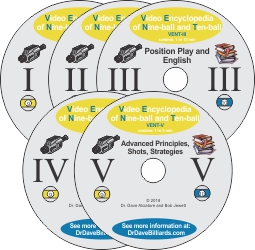
Video Encyclopedia of Nine-ball and Ten-ball (VENT)
$19.95 per volume or $84.95 for entire 5-volume set
VENT I – The Break
VENT II – Basic Strategy
VENT III – Position Play and English
VENT IV – Safety Play
VENT V – Advanced Principles, Shots, Strategies
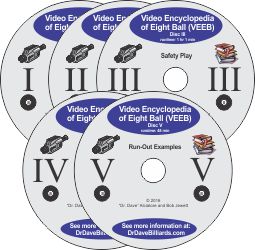
Video Encyclopedia of Eight Ball (VEEB)
$19.95 per volume or $84.95 for entire 5-volume set
VEEB I – Game Strategy
VEEB II – Position Play and Shot Types
VEEB III – Safety Play
VEEB IV – Advanced Play and Strategy
VEEB V – Run-Out Examples
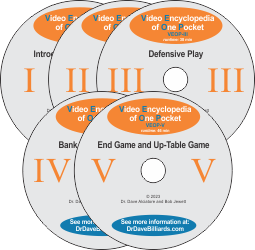
Video Encyclopedia of One Pocket (VEOP)
$19.95 per volume or $84.95 for entire 5-volume set
VEOP I – Introduction to the Game
VEOP II – Offensive Play
VEOP III – Defensive Play
VEOP IV – Bank and Kick Systems
VEOP V – End Game, Up-Table Game, Misc.
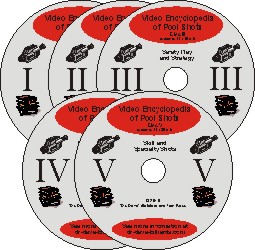
Video Encyclopedia of Pool Shots (VEPS)
$19.95 per volume or $84.95 for entire 5-volume set
VEPS I – Basic Shot Making and Position
VEPS II – English and Position Control
VEPS III – Safety Play and Strategy
VEPS IV – Banks, Kicks, and Advanced Shots
VEPS V – Skill and Specialty Shots

How To Aim Pool Shots (HAPS)
$19.95 per volume or $54.95 for entire 3-volume set
HAPS I – Aiming Systems, Aiming with Sidespin
HAPS II – Aiming Specialty Shots
HAPS III – Aiming Kick and Bank Shots
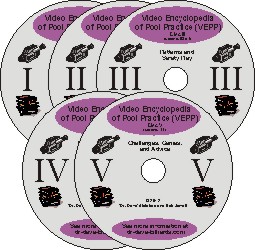
Video Encyclopedia of Pool Practice (VEPP)
$19.95 per volume or $84.95 for entire 5-volume set
VEPP I – Fundamentals and Basic Position Control
VEPP II – Position Control and English
VEPP III – Patterns and Safety Play
VEPP IV – Banks, Kicks, and Advanced Shots
VEPP V – Challenges, Games, and Advice

Billiard University (BU)
$19.95 per volume or $54.95 for entire 3-volume set
BU I – Basics and the BU Process
BU II – Exam I: Fundamentals
BU III – Exam II: Skills
Monster Mega Package Deal
Entire 33-volume set of videos:

$499.95
Cool Shirts You Can Wear While you Watch the Videos and Play Pool
Dr. Dave Billiard T-shirts, Mugs, Caps, and Posters

Having Trouble Purchasing?
- First click on a link above for a product you want.
- Then click on the “Buy” button.
- Then log in to Vimeo with an existing account, or create a new account.
- If you purchase a series, to access the individual volumes you need to click on the individual volume links on the series page. You can also use the product and volume links above.
- If you still have trouble, please contact Vimeo support for help. You can also report issues or request help directly at support@vimeo.com.
Having Trouble Accessing or Downloading a Previously Purchased Videos?
- First make sure you log in to Vimeo using the username and password (or Facebook or other account) from which you made the purchase. If you are not sure, first log out and then log back in.
- You can access the videos, including individual volumes in a series, via the product links above.
- If you purchased a series, to access the individual volumes, you need to go to the purchased series page, scroll down, and click on the individual volume links. You can also use the product and volume links above.
- To download a volume, click on the download button to the right of the volume title. It looks like a little cloud with a down-arrow.
- If none of that works, please contact Vimeo support for help.
NOTE – If you previously purchased (before 2017) access to the YouTube streamed versions of my older videos (no longer available for new purchases), they are still available here: YouTube Streamed Versions.